Free tool · remove.bg alternative
A remove.bg alternative that stays free.
remove.bg's standalone site closes on 1 December 2026 at 9:00 CET. This background remover does the everyday job, a person cut out of a photo, in your browser: no account, no credits, no watermark, and the photo is never uploaded. Below, what remove.bg has said will change, and where this tool is and isn't a match.
Updated 28 September 2026
The first time, your browser fetches the small model it uses (about 7 MB, from sochen.dev); after that it starts faster.
Runs in your browser. Your files are never uploaded.
 BeforeAfter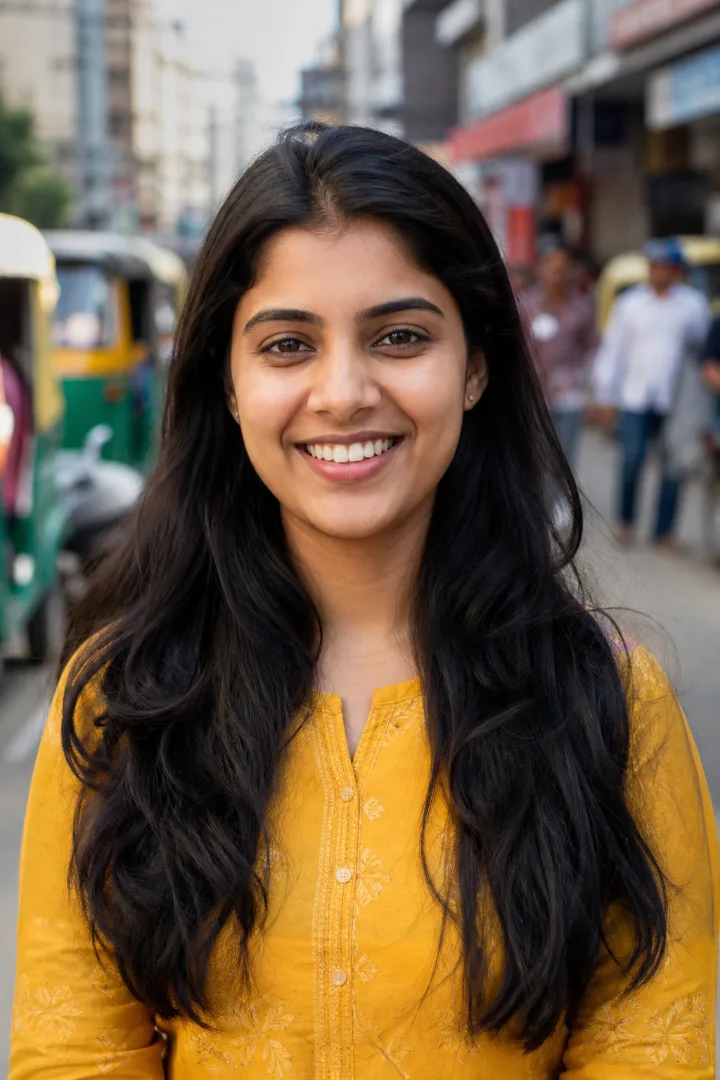
A sample photo (made with AI), cut out by this tool in a browser. Drag to compare. Yours appears here.
Several files, or a whole form? Tell Sochen “Make my UPSC photo with a white background, 20 to 200 KB” and it does every step, checks each against the notification, and still keeps your files on your device.
Try Sochen free →What changes for remove.bg users
These are remove.bg's own words from its FAQ, checked 28 September 2026. The site is part of Canva, and Canva is folding it into its own products rather than running two.
- The website: “From 1 December 2026 at 9:00am CET, remove.bg's standalone website will no longer be available. Background removal is moving to Canva and API access to Leonardo.ai.”
- Pay-as-you-go credits: “Any unused PAYG credits will expire on 1 December 2026.” remove.bg recommends using them before then.
- Annual plans: they run until that morning, then end; unused time after the date is refunded pro rata to the original payment method, with no action needed.
- Monthly plans: they run until that morning and end automatically; “any final renewal on or after 1 November is free.”
- Account data, invoices, usage reports: accessible until 9:00 CET on 1 December, and not after. Export invoices from the Account page before then.
- The API: the self-service API stops accepting requests from 1 December 2026 and moves to Leonardo.Ai (also part of Canva), which needs a new account and key. Enterprise API contracts continue as normal.
- Plugins: the Photoshop plugin and the other integrations are discontinued on the same date. remove.bg points Photoshop users to Affinity, where its background removal needs a Canva Pro subscription.
Until then, remove.bg's free plan still gives preview-size downloads of up to 0.25 megapixels (about 625×400 pixels); full-resolution downloads cost credits. That preview limit is the reason most people go looking for an alternative in the first place.
What this tool does, and doesn't
It cuts out people. The model is MODNet, a portrait matting model, so it's built for photos where the subject is a person: passport and exam photos, ID photos, profile pictures, a portrait against a messy wall. Hair edges and shoulders come out well on a photo taken in decent light.
Products, pets, cars and logos are not what it's trained on. It will try, and simple shapes on a plain background often come out fine, but expect rough edges on anything that isn't a person. remove.bg and Canva use a general model that handles objects; if you need that, Canva's Background Remover is where remove.bg is sending its users, and it needs a Canva account (and Canva Pro for full use).
You get a transparent PNG or a JPEG on plain white, at the photo's own size up to 2,400 pixels on the longer side. There's no upscaling, no scene generation and no bulk mode: one photo at a time.
Nothing is uploaded. The first time, your browser fetches the model (about 7 MB) from sochen.dev and keeps it; the photo itself is processed in a web worker on your device. You can watch your browser's network tab while it runs.
For a form photo, the photo and signature resizer does the white background and the exact KB and pixel size together, checked against the notification.
Questions
Is remove.bg shutting down completely?+
The standalone website, its self-service API, its Photoshop plugin and its other integrations all stop on 1 December 2026. The technology carries on inside Canva's Background Remover and Leonardo.Ai's API. Enterprise API contracts are the one thing remove.bg says are not affected.
Will I get a refund for credits I haven't used?+
remove.bg's FAQ says unused pay-as-you-go credits expire on 1 December 2026 and recommends using them first; it doesn't offer a refund for them. Annual subscriptions with time left after that date get a pro-rata refund automatically.
Is this as good as remove.bg?+
On portraits, close, and at full resolution for free. On objects, animals and product shots, no: remove.bg's model is general, this one is a portrait model. Try it on your photo; the result appears in a few seconds and you can judge the edges before you download.
Do I need an account, and is there a daily limit?+
No account, no limit, no watermark. It costs Sochen nothing per photo because the work happens on your device.
Does it work on a phone?+
Yes, in Chrome, Safari, Edge or Firefox. A recent phone takes a few seconds per photo; an older one takes longer, since the model runs on the phone's own processor.
Can I use it for a passport or exam photo?+
Choose “Plain white background (JPEG)”, then take the result to the photo resizer for the exact KB and pixels the form asks for. The resizer has presets for IBPS, SBI, UPSC, NEET, SSC and more.
Sources, checked 28 September 2026: remove.bg FAQ, “What is happening to remove.bg?”; remove.bg API page; remove.bg help, free plan vs subscription vs pay-as-you-go; AlternativeTo, 2026-09: remove.bg shuts down standalone service. Rules change, so check the portal's own instructions before you submit.